Featured in:Best AI Video Tools
Get featured →AI Styling Studio — Infinite avatar looks from just 1 photo. Try it now.


Description
✦
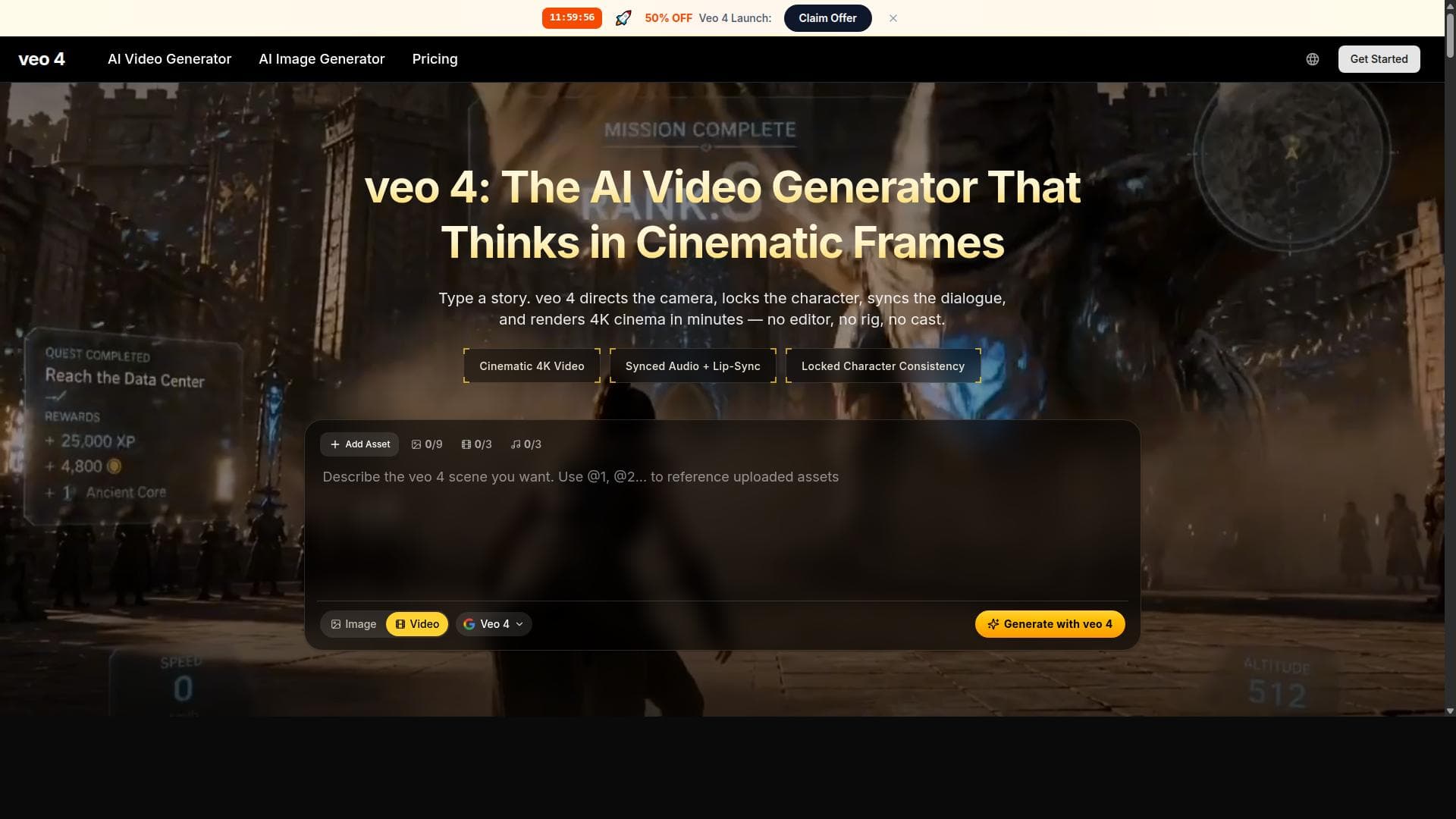
Veo 4 AI Video Generator transforms simple text or images into stunning 4K cinematic videos with realistic animation and synced audio, all without requiring editing skills. Ideal for creators, marketers, and filmmakers seeking professional-quality AI video production quickly and effortlessly.
Veo 4 AI Video Generator is a cutting-edge online platform designed to transform simple text prompts or images into high-quality cinematic videos using advanced AI-driven text-to-video and image-to-video generation technologies. Its core purpose is to democratize professional video creation by eliminating the need for complex editing software or costly production equipment. By leveraging sophisticated AI algorithms, Veo 4 enables users to generate visually stunning videos with smooth transitions, dynamic motion, realistic animations, and detailed rendering, all within a user-friendly interface. This makes it an ideal solution for creators who want to produce polished video content quickly and efficiently without requiring technical expertise. The platform boasts several key features that set it apart in the AI video generation space. First, it supports the creation of 4K cinematic videos, ensuring that the output is of ultra-high resolution suitable for professional use. Users can input either text prompts or images, which the AI then interprets to generate coherent and visually appealing video sequences. Additionally, Veo 4 can generate synced audio clips that align perfectly with the video content, enhancing the overall production quality. The entire process is designed to be fast, allowing users to produce finished videos in a fraction of the time traditional editing would take. Importantly, no prior editing skills are required, making it accessible to a broad audience. Veo 4 is particularly well-suited for a variety of users including independent creators, filmmakers, marketers, and content producers. Filmmakers can use it to prototype scenes or create cinematic trailers without the overhead of a full production crew. Marketers benefit from the ability to quickly generate engaging promotional videos that captivate audiences on social media or websites. Content producers and influencers can leverage Veo 4 to enhance their storytelling with dynamic visuals and professional-grade animations, all while saving time and resources. Its ease of use and high-quality output also make it a valuable tool for educators and trainers who want to create instructional videos with minimal hassle. Regarding pricing, while specific details are not provided in the available information, platforms like Veo 4 typically offer tiered subscription plans that may include options such as pay-per-video, monthly subscriptions, or enterprise packages. These plans often vary based on video resolution, length, and access to premium features like 4K output or synced audio generation. Potential users should visit the official website to review the latest pricing and plan options tailored to their needs. When compared to alternative AI video generators, Veo 4 stands out due to its focus on cinematic quality and 4K resolution output. Many competitors offer text-to-video capabilities but may lack the advanced rendering, smooth transitions, and dynamic motion that Veo 4 provides. Its ability to convert both text and images into videos with synced audio clips further enhances its versatility. However, unlike some tools that integrate directly with popular video editing suites or social media platforms, Veo 4’s integration options are not explicitly detailed, which may be a consideration for users seeking seamless workflow connectivity. Notable limitations include the potential learning curve associated with crafting effective prompts to achieve desired video results, as AI-generated content can sometimes require iterative refinement. Additionally, while the platform is designed to be user-friendly, users seeking highly customized or complex video edits may still need traditional editing software. The absence of detailed pricing and integration information may also require prospective users to conduct further research before committing. Overall, Veo 4 AI Video Generator offers a powerful, accessible solution for producing cinematic AI videos rapidly, making it a valuable tool for a wide range of creative professionals.
Tool Features
- Create 4K cinematic videos
- Convert text to video
- Convert image to video
- Generate synced-audio clips
- No editing skills needed
- Fast video generation
Description
✦
Veo 4 AI Video Generator transforms simple text or images into stunning 4K cinematic videos with realistic animation and synced audio, all without requiring editing skills. Ideal for creators, marketers, and filmmakers seeking professional-quality AI video production quickly and effortlessly.
Veo 4 AI Video Generator is a cutting-edge online platform designed to transform simple text prompts or images into high-quality cinematic videos using advanced AI-driven text-to-video and image-to-video generation technologies. Its core purpose is to democratize professional video creation by eliminating the need for complex editing software or costly production equipment. By leveraging sophisticated AI algorithms, Veo 4 enables users to generate visually stunning videos with smooth transitions, dynamic motion, realistic animations, and detailed rendering, all within a user-friendly interface. This makes it an ideal solution for creators who want to produce polished video content quickly and efficiently without requiring technical expertise. The platform boasts several key features that set it apart in the AI video generation space. First, it supports the creation of 4K cinematic videos, ensuring that the output is of ultra-high resolution suitable for professional use. Users can input either text prompts or images, which the AI then interprets to generate coherent and visually appealing video sequences. Additionally, Veo 4 can generate synced audio clips that align perfectly with the video content, enhancing the overall production quality. The entire process is designed to be fast, allowing users to produce finished videos in a fraction of the time traditional editing would take. Importantly, no prior editing skills are required, making it accessible to a broad audience. Veo 4 is particularly well-suited for a variety of users including independent creators, filmmakers, marketers, and content producers. Filmmakers can use it to prototype scenes or create cinematic trailers without the overhead of a full production crew. Marketers benefit from the ability to quickly generate engaging promotional videos that captivate audiences on social media or websites. Content producers and influencers can leverage Veo 4 to enhance their storytelling with dynamic visuals and professional-grade animations, all while saving time and resources. Its ease of use and high-quality output also make it a valuable tool for educators and trainers who want to create instructional videos with minimal hassle. Regarding pricing, while specific details are not provided in the available information, platforms like Veo 4 typically offer tiered subscription plans that may include options such as pay-per-video, monthly subscriptions, or enterprise packages. These plans often vary based on video resolution, length, and access to premium features like 4K output or synced audio generation. Potential users should visit the official website to review the latest pricing and plan options tailored to their needs. When compared to alternative AI video generators, Veo 4 stands out due to its focus on cinematic quality and 4K resolution output. Many competitors offer text-to-video capabilities but may lack the advanced rendering, smooth transitions, and dynamic motion that Veo 4 provides. Its ability to convert both text and images into videos with synced audio clips further enhances its versatility. However, unlike some tools that integrate directly with popular video editing suites or social media platforms, Veo 4’s integration options are not explicitly detailed, which may be a consideration for users seeking seamless workflow connectivity. Notable limitations include the potential learning curve associated with crafting effective prompts to achieve desired video results, as AI-generated content can sometimes require iterative refinement. Additionally, while the platform is designed to be user-friendly, users seeking highly customized or complex video edits may still need traditional editing software. The absence of detailed pricing and integration information may also require prospective users to conduct further research before committing. Overall, Veo 4 AI Video Generator offers a powerful, accessible solution for producing cinematic AI videos rapidly, making it a valuable tool for a wide range of creative professionals.
Frequently Asked Questions
What is veo 4 AI Video Generator?
Veo 4 AI Video Generator is an online platform that uses advanced AI technology to convert text prompts and images into high-quality cinematic videos with smooth transitions, dynamic motion, and realistic animations.
How much does veo 4 AI Video Generator cost?
Specific pricing details for Veo 4 AI Video Generator are not publicly provided; users should visit the official website to explore available subscription plans or payment options.
Who is veo 4 AI Video Generator best for?
It is best suited for creators, filmmakers, marketers, and content producers who want to create professional AI-generated videos quickly without needing complex editing software or technical skills.
What are the main features of veo 4 AI Video Generator?
Key features include 4K cinematic video creation, text-to-video and image-to-video conversion, synced audio clip generation, fast video rendering, and a user-friendly interface requiring no editing skills.
Does veo 4 AI Video Generator offer a free trial?
Information about a free trial is not specified; interested users should check the official website for any trial offers or demo options.
What integrations does veo 4 AI Video Generator support?
Details about integrations with other software or platforms are not provided, so users may need to consult the official site or support for integration capabilities.
How does veo 4 AI Video Generator work?
Users input text prompts or images, and the AI processes these inputs to generate cinematic videos featuring realistic animations, smooth transitions, and synced audio, all rendered quickly without manual editing.
Sponsored Tools













Reviews
0 reviews
No reviews yet. Be the first to share your experience.
Recommended Tools
RecoveritWondershare FilmoraTalorDataSweetTalk AIPlanCheckerProAnswerThisBanana AI AgentLocalRAG!kikivoice.aiJS2TS
Alternative Tools







Stay updated on latest Ai tools
Get the latest insights, Join our newsletter
Read and trusted by 50,000+ readers
Join the biggest AI Community
Our community and staff are here to help!
Your feedback will help Alice AI improve in future versions.







Submit your Tool

PoweredByAI.app is an AI Tools Directory helping individuals, businesses, and creators discover the best AI tools for writing, coding, design, productivity, and more.
© 2026 , Product of011BQ. All rights reserved.