Auto Background Remover – Clean Transparent Images in One Click
Description
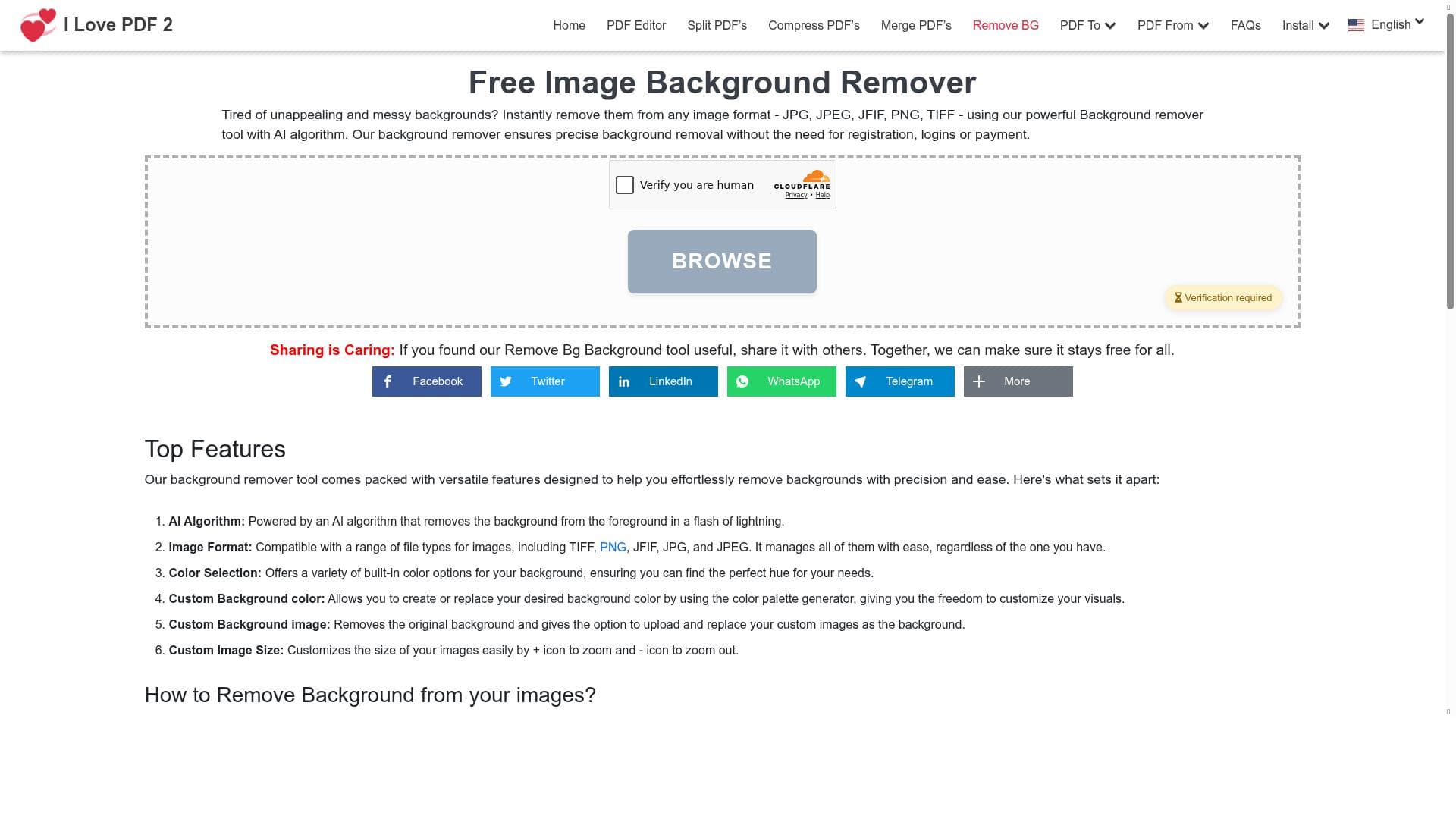
Auto Background Remover by iLovePDF2 delivers fast, accurate background removal in just one click, supporting multiple image formats and requiring no registration. Perfect for beginners and professionals alike, it’s an ideal free tool for product photos, social media content, and quick creative edits.
Auto Background Remover – Clean Transparent Images in One Click by iLovePDF2 is an AI-powered tool designed to simplify and accelerate the process of removing backgrounds from images. Its core purpose is to provide users with a fast, accurate, and effortless way to isolate subjects from their backgrounds, resulting in clean, professional-quality transparent images. This tool is ideal for anyone needing quick background removal without the complexity of traditional photo editing software. By leveraging advanced AI algorithms, it automatically detects and removes backgrounds in seconds, eliminating the need for manual selection or masking. The tool supports a wide range of popular image formats, including JPG, JPEG, JFIF, PNG, TIFF, RAW, and Base64 encoded images, making it highly versatile for various user needs. Users simply upload their photo, and the AI instantly processes it to deliver a precise cutout. Beyond background removal, it offers additional customization options such as adding custom colors or new backgrounds to the image, as well as simple resizing tools to adjust the final output. These features make it a comprehensive solution for quick creative edits, product photography, and social media content creation. One of the standout capabilities of Auto Background Remover is its speed and ease of use. The entire process requires no registration or account creation, allowing users to start editing immediately. The AI’s accuracy ensures that even complex edges like hair or fur are handled cleanly, which is often a challenge for automated background removers. This combination of speed, accuracy, and format support makes it suitable for a broad audience including e-commerce sellers, marketers, social media managers, graphic designers, and casual users looking to enhance their images effortlessly. The tool is completely free to use, with no hidden fees or subscription plans. This makes it an attractive option for individuals and small businesses who need reliable background removal without investing in expensive software or services. Its beginner-friendly interface ensures that users with no prior photo editing experience can achieve professional results quickly. Compared to other background removal tools, Auto Background Remover stands out for its simplicity and accessibility. While many alternatives require downloads, registrations, or paid subscriptions, this tool offers instant online processing with no barriers to entry. However, it may lack some advanced editing features found in professional-grade software, such as detailed manual touch-ups or batch processing for large volumes of images. Users requiring extensive customization or integration with design workflows might find dedicated desktop applications or premium services more suitable. In terms of limitations, the tool is primarily designed for single-image edits and may not support bulk uploads or automated workflows. Additionally, while the AI is highly accurate, extremely complex backgrounds or images with low contrast between subject and background might occasionally require manual refinement. Users should also note that the tool’s customization options, while useful, are basic compared to full-featured graphic editors. Overall, Auto Background Remover – Clean Transparent Images in One Click offers a powerful, free, and easy-to-use solution for anyone needing fast background removal. Its broad format support, instant processing, and beginner-friendly design make it an excellent choice for quick edits, product photos, and social media visuals. While it may not replace professional software for advanced editing needs, it provides exceptional value and convenience for everyday image editing tasks.
Tool Features
- Quickly remove backgrounds from images
- Supports multiple image formats including JPG, JPEG, JFIF, PNG, TIFF, RAW, Base64
- Fast processing
- No registration required
- Accurate background removal
Description
Auto Background Remover by iLovePDF2 delivers fast, accurate background removal in just one click, supporting multiple image formats and requiring no registration. Perfect for beginners and professionals alike, it’s an ideal free tool for product photos, social media content, and quick creative edits.
Auto Background Remover – Clean Transparent Images in One Click by iLovePDF2 is an AI-powered tool designed to simplify and accelerate the process of removing backgrounds from images. Its core purpose is to provide users with a fast, accurate, and effortless way to isolate subjects from their backgrounds, resulting in clean, professional-quality transparent images. This tool is ideal for anyone needing quick background removal without the complexity of traditional photo editing software. By leveraging advanced AI algorithms, it automatically detects and removes backgrounds in seconds, eliminating the need for manual selection or masking. The tool supports a wide range of popular image formats, including JPG, JPEG, JFIF, PNG, TIFF, RAW, and Base64 encoded images, making it highly versatile for various user needs. Users simply upload their photo, and the AI instantly processes it to deliver a precise cutout. Beyond background removal, it offers additional customization options such as adding custom colors or new backgrounds to the image, as well as simple resizing tools to adjust the final output. These features make it a comprehensive solution for quick creative edits, product photography, and social media content creation. One of the standout capabilities of Auto Background Remover is its speed and ease of use. The entire process requires no registration or account creation, allowing users to start editing immediately. The AI’s accuracy ensures that even complex edges like hair or fur are handled cleanly, which is often a challenge for automated background removers. This combination of speed, accuracy, and format support makes it suitable for a broad audience including e-commerce sellers, marketers, social media managers, graphic designers, and casual users looking to enhance their images effortlessly. The tool is completely free to use, with no hidden fees or subscription plans. This makes it an attractive option for individuals and small businesses who need reliable background removal without investing in expensive software or services. Its beginner-friendly interface ensures that users with no prior photo editing experience can achieve professional results quickly. Compared to other background removal tools, Auto Background Remover stands out for its simplicity and accessibility. While many alternatives require downloads, registrations, or paid subscriptions, this tool offers instant online processing with no barriers to entry. However, it may lack some advanced editing features found in professional-grade software, such as detailed manual touch-ups or batch processing for large volumes of images. Users requiring extensive customization or integration with design workflows might find dedicated desktop applications or premium services more suitable. In terms of limitations, the tool is primarily designed for single-image edits and may not support bulk uploads or automated workflows. Additionally, while the AI is highly accurate, extremely complex backgrounds or images with low contrast between subject and background might occasionally require manual refinement. Users should also note that the tool’s customization options, while useful, are basic compared to full-featured graphic editors. Overall, Auto Background Remover – Clean Transparent Images in One Click offers a powerful, free, and easy-to-use solution for anyone needing fast background removal. Its broad format support, instant processing, and beginner-friendly design make it an excellent choice for quick edits, product photos, and social media visuals. While it may not replace professional software for advanced editing needs, it provides exceptional value and convenience for everyday image editing tasks.
Frequently Asked Questions
What is Auto Background Remover – Clean Transparent Images in One Click?
It is an AI-powered online tool by iLovePDF2 that quickly and accurately removes backgrounds from images, producing clean transparent cutouts in seconds without requiring any manual editing.
How much does Auto Background Remover – Clean Transparent Images in One Click cost?
The tool is completely free to use with no subscription fees or hidden charges.
Who is Auto Background Remover – Clean Transparent Images in One Click best for?
It is ideal for e-commerce sellers, social media managers, graphic designers, marketers, and anyone needing quick, professional background removal without complex software.
What are the main features of Auto Background Remover – Clean Transparent Images in One Click?
Key features include fast and accurate background removal, support for multiple image formats (JPG, JPEG, JFIF, PNG, TIFF, RAW, Base64), no registration required, custom background color or image addition, and simple resizing tools.
Does Auto Background Remover – Clean Transparent Images in One Click offer a free trial?
Since the tool is entirely free, there is no need for a trial; all features are accessible without payment or registration.
What integrations does Auto Background Remover – Clean Transparent Images in One Click support?
The tool operates as a standalone online service and does not currently offer direct integrations with other software or platforms.
How does Auto Background Remover – Clean Transparent Images in One Click work?
Users upload their image to the online platform, where AI algorithms automatically detect and remove the background, delivering a clean transparent image within seconds, with options to customize background colors or add new backgrounds.
Sponsored Tools














Reviews
No reviews yet. Be the first to share your experience.